Take the admin out of every booking
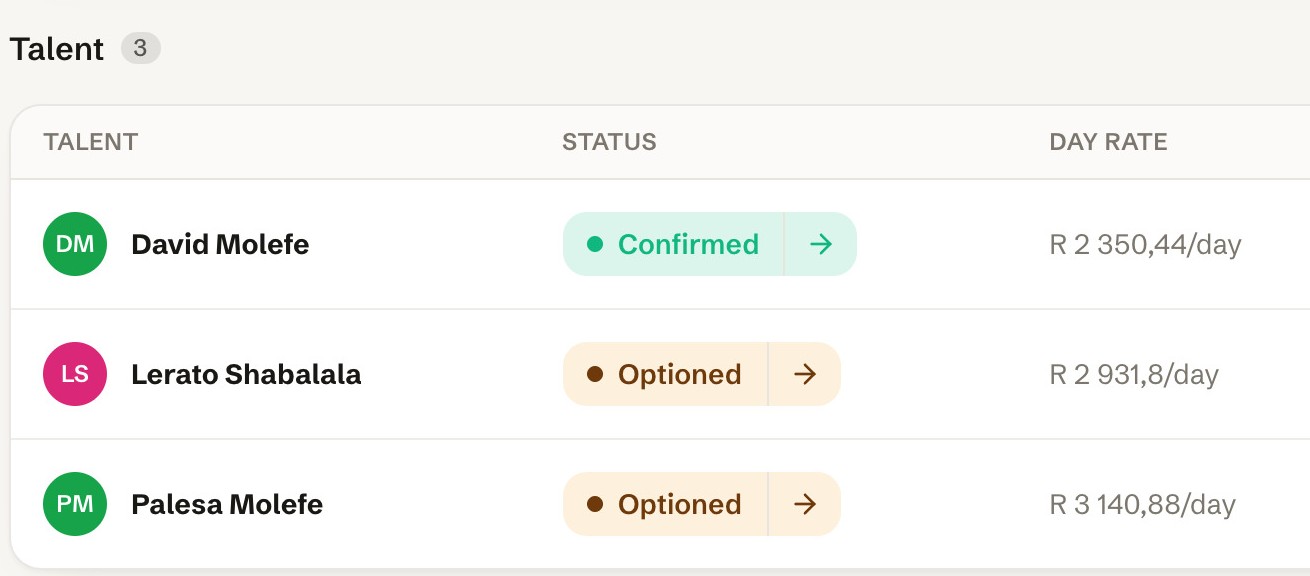
Statuses follow what's actually happened, so you always know what's next, without the chase.
Syncs with the calendars your talent already use
- Google Calendar
- Apple Calendar
- Outlook
Still clicking through every booking to see what's next? Let RosterBook move it along.
Move bookings forward automatically
Attach talent, send the confirmation or record a payment and the status updates itself, with Undo for 24 hours.
Get tasks only when they are due
A task appears when something needs you and closes itself once it is sorted.
Never let a release expire unnoticed
Issue a 24-hour release and it escalates on its own until someone confirms or releases.
Keep talent in the loop on every booking
Holds, confirmations, call times, fees and payment status all sit in their portal, and they can accept or decline right there.
More booking features
See the whole roster
See who's free, optioned or booked.
Catch double bookings
Get a task when talent are double booked.
Get confirmations signed
Send confirmations out for e-signature.
Share talent packages
Let clients shortlist talent from a link.
Track talent days off
Talent add their days off in the portal.
Sync talent calendars
Holds and bookings sync to their calendar.
Run the whole booking in one place
Capture the enquiry, present your talent and get paid in the same place you manage the booking.
Capture enquiries
Stay on top of every enquiry.
Learn more →Present talent
Get the right talent in front of clients.
Learn more →Get paid
Turn every booking into an invoice.
Learn more →Moving from another system? We move you in. You keep booking.Book a migration call →
Common questions
What moves a booking from one status to the next?
What you already do. Attaching talent, sending the confirmation, raising the invoice and recording the payment each move the booking along: Requested, Preparing, Confirmed, Invoiced, Paid. There is no Advance button to click.
What if a status moves by mistake?
Every automatic move can be undone for 24 hours.
What kinds of tasks does RosterBook create?
Tasks appear when something is due, not in advance. For example a crew gap seven days out, an unsigned confirmation, talent who are double booked, or an invoice a day overdue. Each task closes itself when the facts change.
How do 24-hour releases work?
When you issue a client a release, it joins a queue. It shows as high priority until the last six hours, then urgent, until someone confirms or releases. Nothing expires without anyone noticing.
What can talent see and do?
Talent see the hold, the confirmation, their call time, the fee breakdown and payment status in their portal. They accept or decline from there, and the answer lands on the booking.
Can talent see their bookings in their own calendar?
Yes. Every talent gets a subscribe link that works with Google, Apple and Outlook calendars. Holds and bookings appear and update on their own.